Unenroll Windows devices
Prerequisites
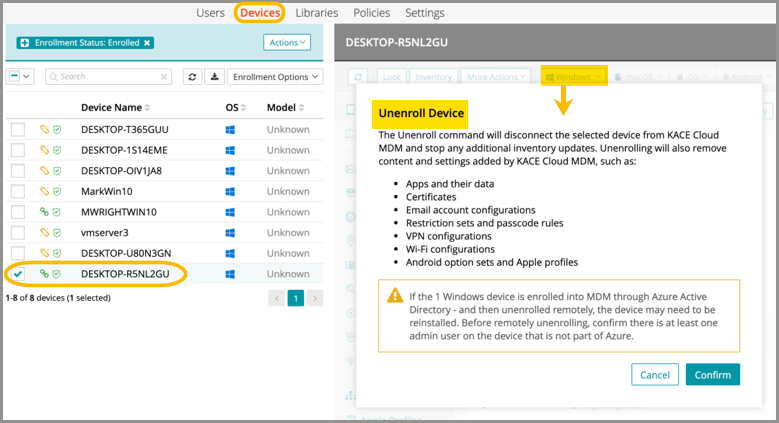
The unenroll command will disconnect a selected device from KACE Cloud and stop any additional inventory updates. Unenrolling will also remove content and settings added by KACE Cloud, including:
- Apps and their data
- Certificates
- Email account configurations
- Restriction sets and passcode rules
- VPN configurations
- Wi-Fi configurations
To unenroll a device:
- Go to Devices in top navigation.
- Select a device.
- In the right panel, click the Windows dropdown list.
- Select Unenroll, then Confirm.